Leave home.
Leave the doubt behind.
A clamp-on smart lock and companion app for people living alone. It answers one question — did I lock the door? — in under two seconds, with timestamped proof instead of cameras or false reassurance.
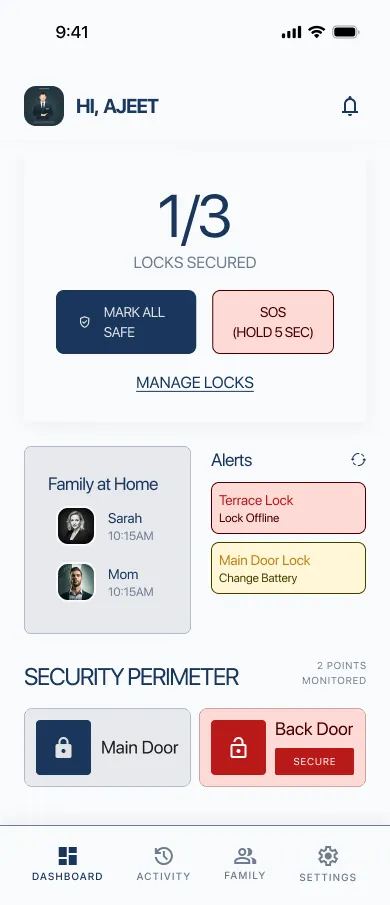
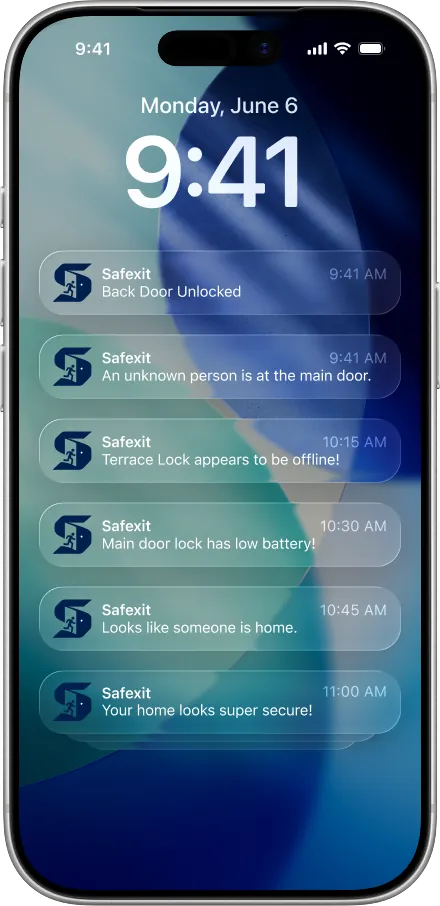
People who live alone often can't remember locking the door — so they walk back, or carry the worry all day.
Safexit is a clamp-on lock and app that answers “did I lock it?” with timestamped proof, and says so honestly when it can't.
- Role
- Product / UX designer
- Platform
- iOS + BLE lock
- Research
- 12 interviews · 150+ community threads · 4 competitors · 5-user test
- Delivered
- Research & persona · flows & IA · hardware concept · design system · 18 hi-fi screens
Ten minutes from home: “did I actually lock it?”
Turning a deadbolt is procedural memory. It takes no conscious effort — so it leaves no memory of having happened. When the doubt arrives on the street, there are only two bad options: walk back, or spend the day distracted.
Routine actions run on autopilot and never form a distinct memory.
Turn back and miss class or work — or carry the worry all day.
Existing apps cache old status or show a green shield while the lock is offline.
Grounded in the people who turn back.
Interviews mapped morning routines and the emotional spiral of doubt; community threads showed how people cope today.
Solo dwellers, students and commuters — routines, memory lapses and what happens when doubt strikes.
r/AskReddit, r/smarthome, r/anxiety and “Why do I constantly worry if I locked my door?”
August, Yale, Nuki and indoor cameras — install flexibility, privacy and how honestly they report status.
Alex Rivera
23 · solo renter & university student. Off-campus apartment, packed schedule, often leaves in a rush to catch the morning bus.
Goals
- Leave home with certainty
- Never turn back on the street
- Keep the landlord's lock intact
Frustrations
- Memory blanks after leaving
- Invasive indoor camera feeds
- Locks that need drilling
Needs
- Exact time of last lock
- Status without loading delay
- Honest warning when offline
A small doubt becomes a loop that eats the morning.
Nothing in the loop gives the brain evidence. Checking the handle, retracing steps, asking a neighbour — all of it is guesswork. The intervention point is obvious: put objective proof in the user's pocket at 08:12.
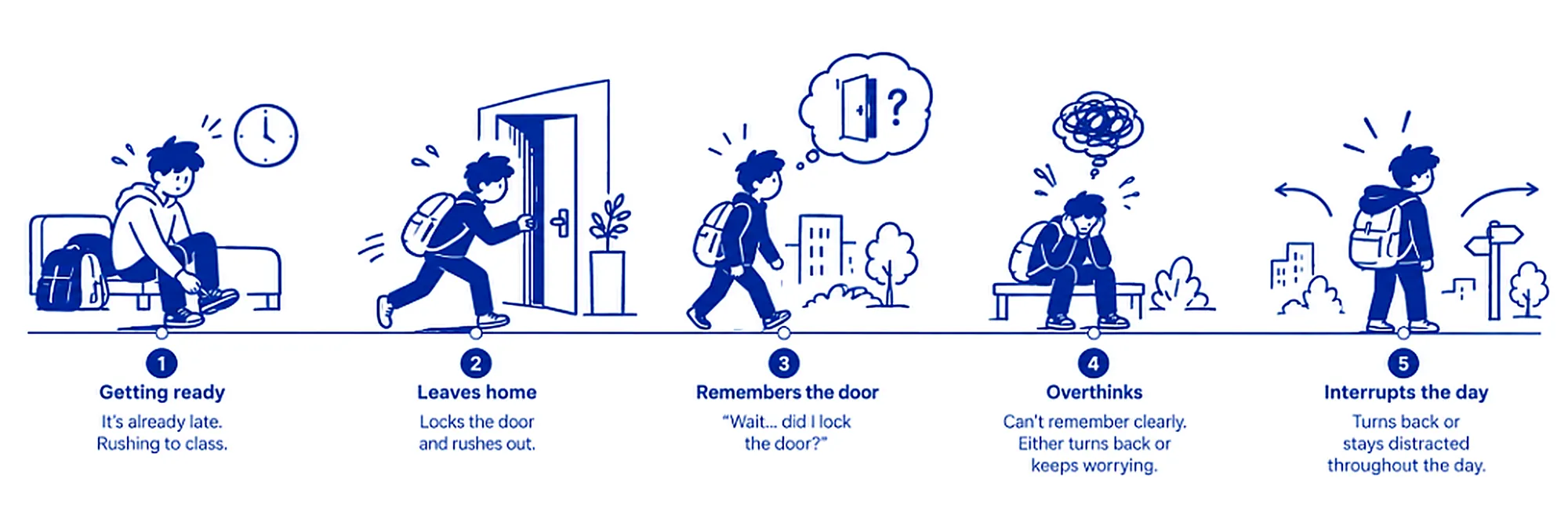
Storyboard · before Safexit. Tap to enlarge.
Everyone sells control. Nobody sells honest status.
| Criteria | Safexit | August | Yale Assure | Indoor camera |
|---|---|---|---|---|
| Zero-drill retrofit | ✓ Clamp-on | ~ Replaces thumbturn | ✗ Full deadbolt swap | ✓ Shelf mount |
| Reassurance in < 2s | ✓ Instant timestamp | ✗ 4–8s app load | ✗ Keypad-first | ✗ 10–15s buffering |
| Privacy (no indoor camera) | ✓ Sensor only | ✓ Sensor only | ✓ Keypad only | ✗ Video feed |
| Explicit stale / offline state | ✓ Honest disclosure | ✗ Caches old state | ✗ Generic warning | ✗ Spinner loop |
| Renter friendly | ✓ Original key works | ✓ Exterior key works | ✗ Re-keys lock | — |
| Predictive battery warning | ✓ 3-week heads-up | ~ Low-battery icon | ~ Beeping | — Wall power |
Calm technology, built on five rules.
Check the reported door status and timestamped activity in under two seconds — and never be told something comforting that isn't true.
Clarity
Locked, unlocked, stale and offline each get a distinct visual weight.
Trust
Always show freshness — “Last check 2m ago”. Never mask stale data.
Control
Every risky or failed state offers one immediate action: “Secure now”.
Calm UI
No alarmist language for routine events. Red is reserved for real risk.
Privacy
Deadbolt telemetry only. No cameras, no microphones.
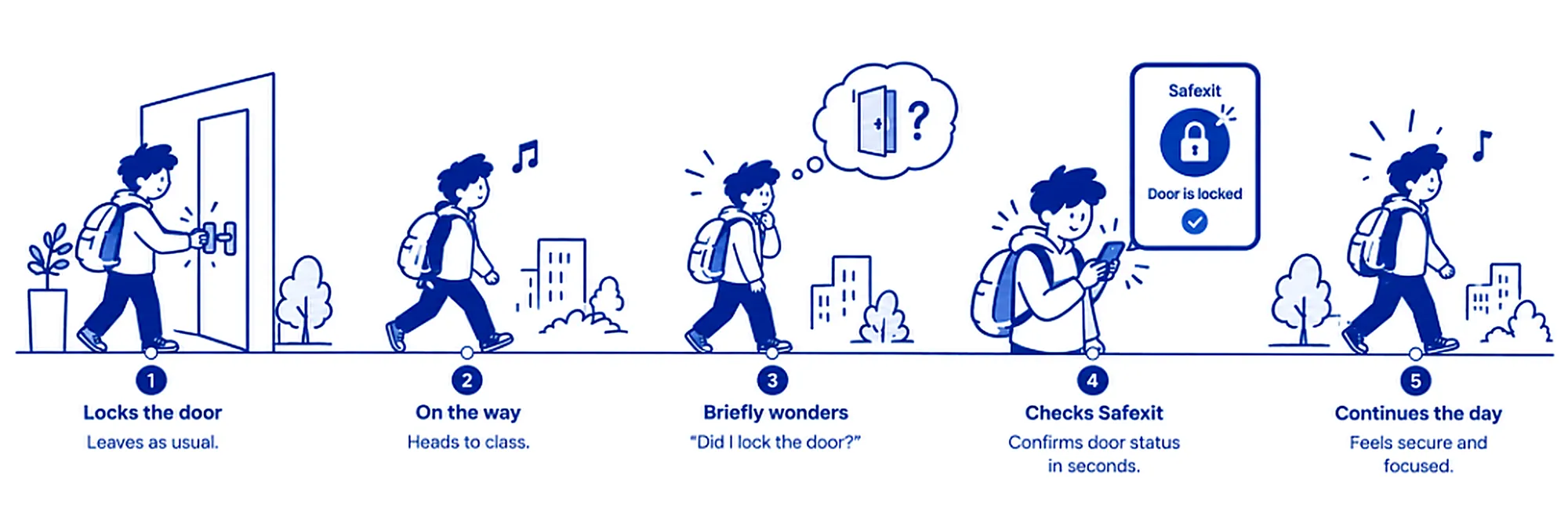
Storyboard · with Safexit, one glance and the day continues. Tap to enlarge.
A lock renters are actually allowed to fit.
Most smart locks replace the deadbolt — a non-starter for renters. Safexit clamps over the thumb-turn that's already there, so the landlord's lock and key stay untouched.
Predictive battery alerts give a three-week heads-up before the unit runs low.
assets/v2/safexit/hardware/Where the morning dips — and where Safexit catches it.
One question, three honest answers.
The app checks lock state and how fresh that state is (under five minutes) before it says anything.
Four pillars, reassurance first.
01 Dashboard
- Locks-secured counter (1/3)
- Quick actions: Mark safe / SOS
- Perimeter status cards
- Family at-home widget
02 Activity log
- Freshness: “Checked 2m ago”
- Filters: All · Alerts · Family
- Chronological event stream
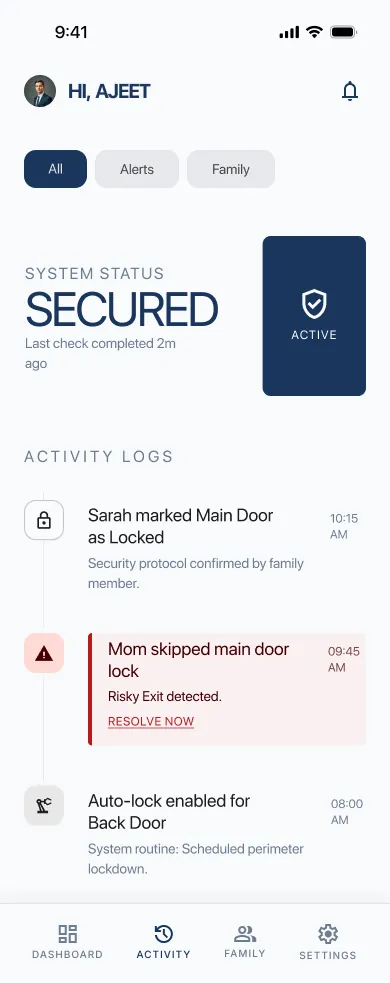
- Risky exit → “Resolve now”
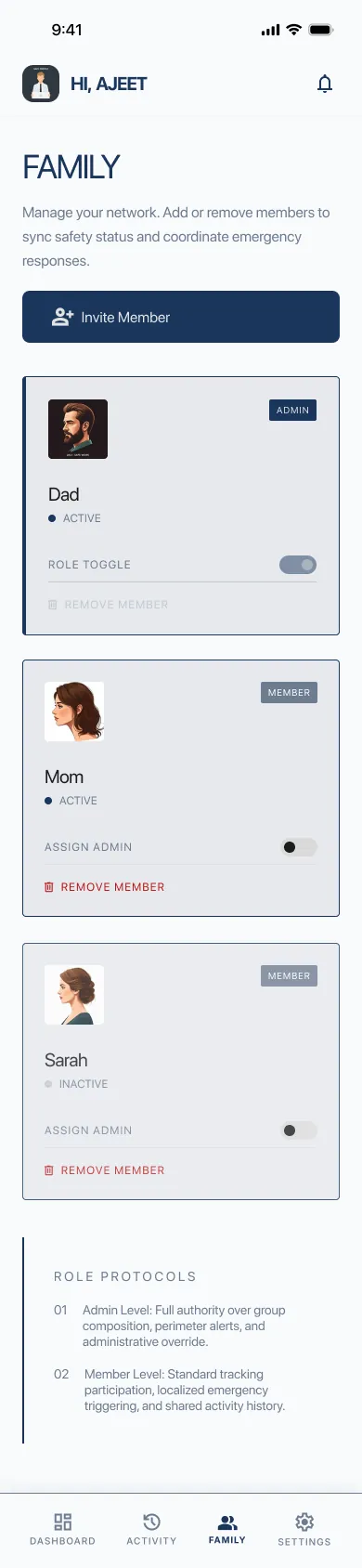
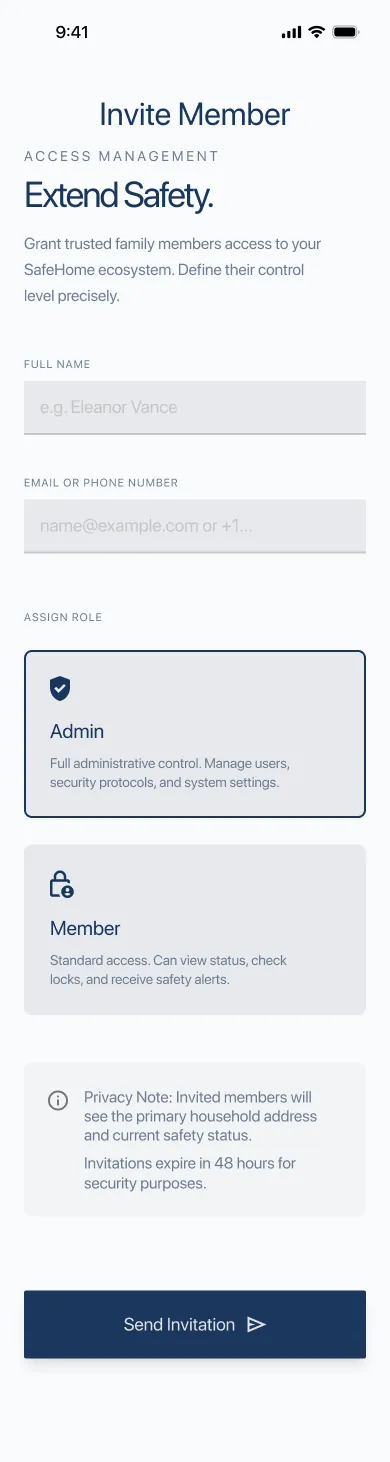
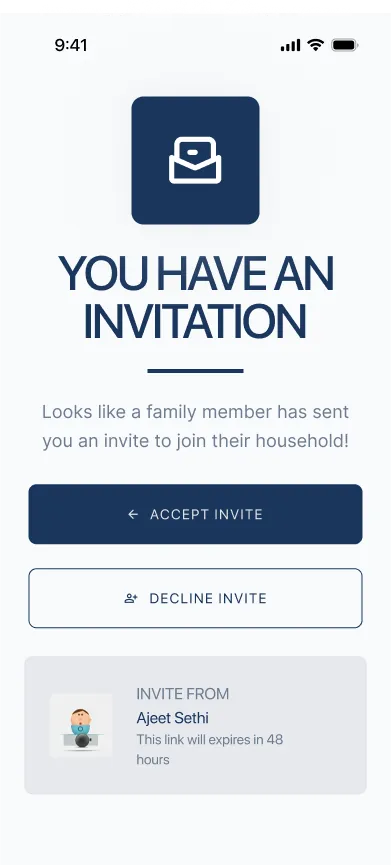
03 Family & access
- Admin vs member roles
- 48-hour temporary invites
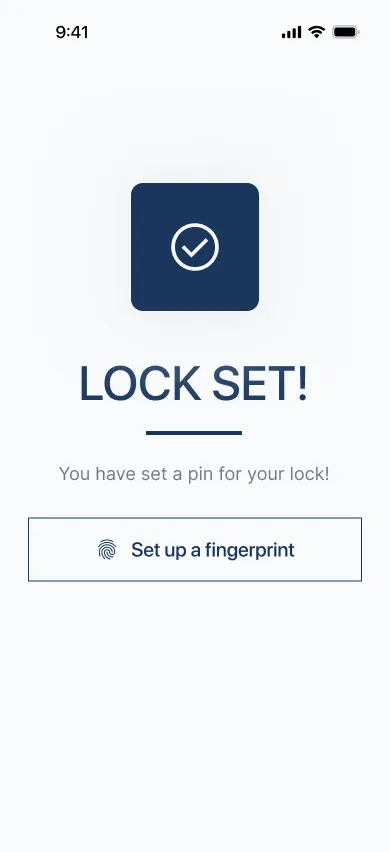
- Fingerprint passkeys
- Emergency & SOS contacts
04 Settings & devices
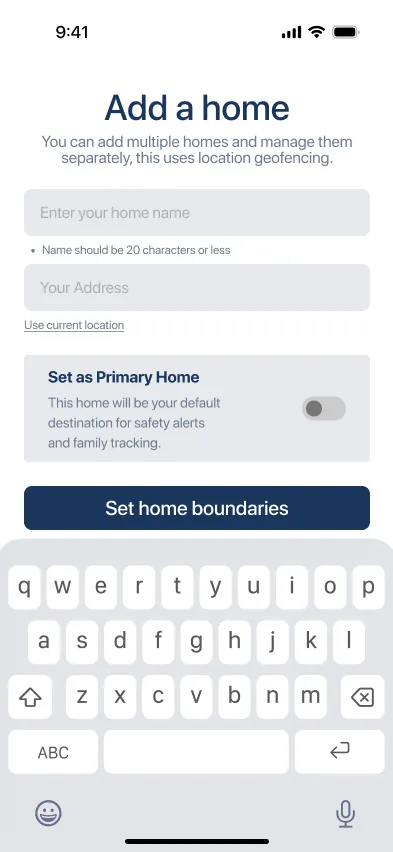
- Geofence radius slider
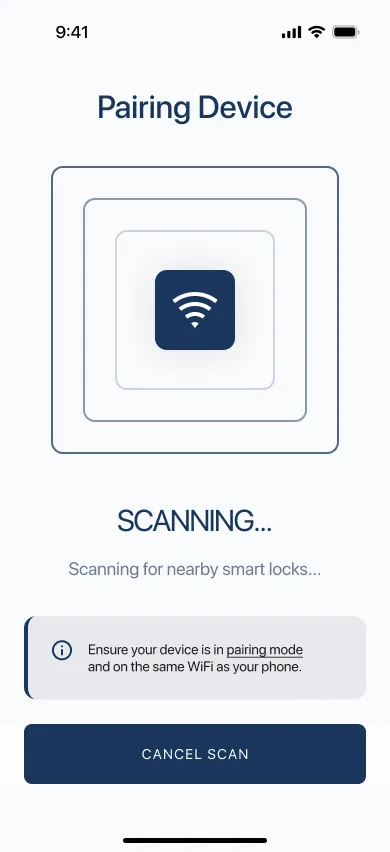
- BLE pairing wizard
- Predictive battery alerts
- Notification preferences
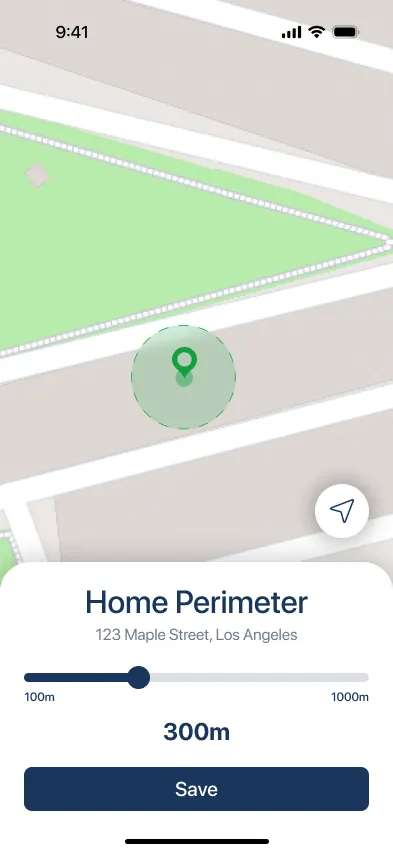
How far is “left home”?
Too small and taking out the trash triggers an alert. Too large and turning back is pointless. Drag the radius.
A light, calm product with colour that means something.
#1A365D#059669#D99A32#BA1A1A#F8FAFC#E2E8F0| 1/3 LOCKS SECURED | 800 · 32/1.1 — status hero, readable from 3 ft in 0.5s |
| SECURITY PERIMETER | 700 · 18/1.25 — section headers |
| MARK ALL SAFE · SOS | 600 · 14/1.4 — actions |
| Sarah marked Main Door as Locked. | 400 · 13/1.5 — activity notes |
Left unlocked by occupant at 09:45 AM
The freshness timestamp sits directly beside the count — a fix from usability testing.
18 screens across four flows.
Long screens scroll inside the phone.
assets/v2/safexit/process/assets/v2/safexit/prototype.mp401 · Onboarding
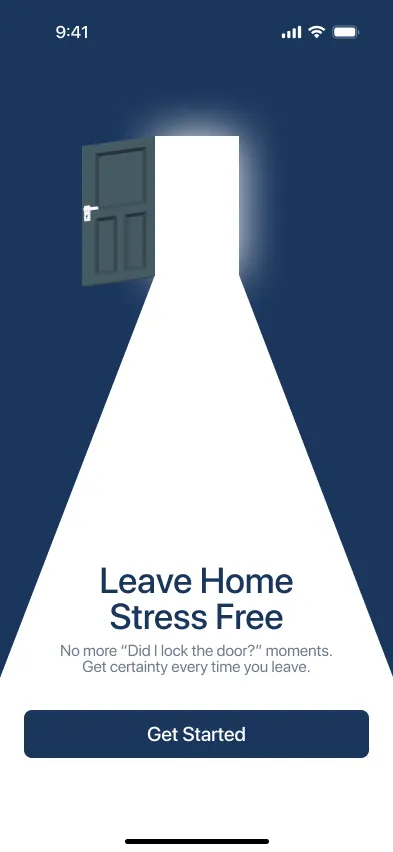
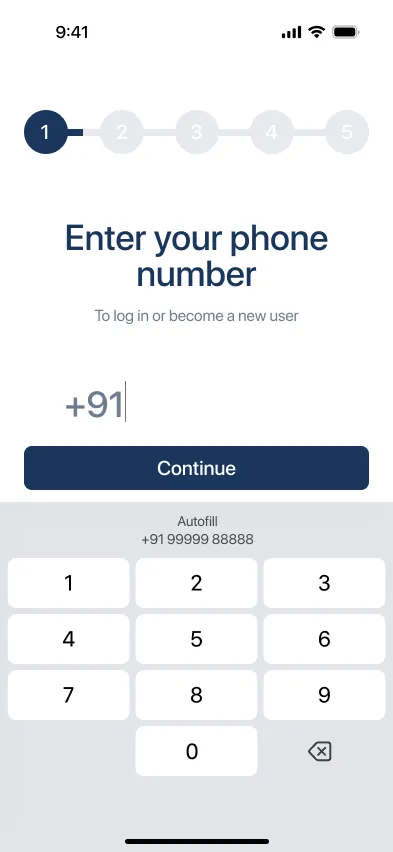
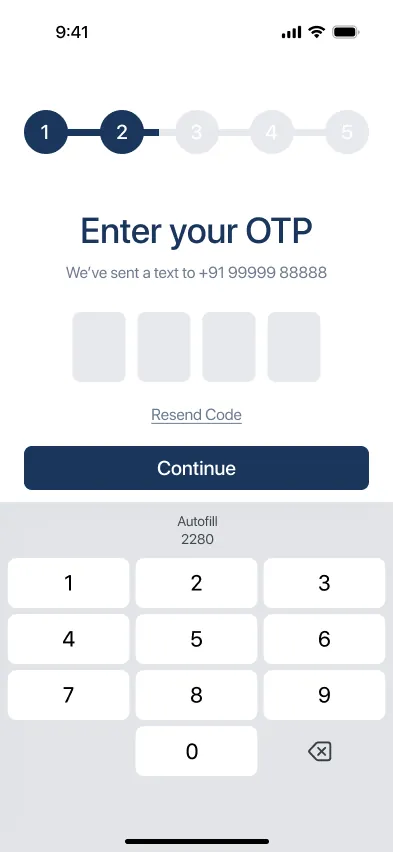
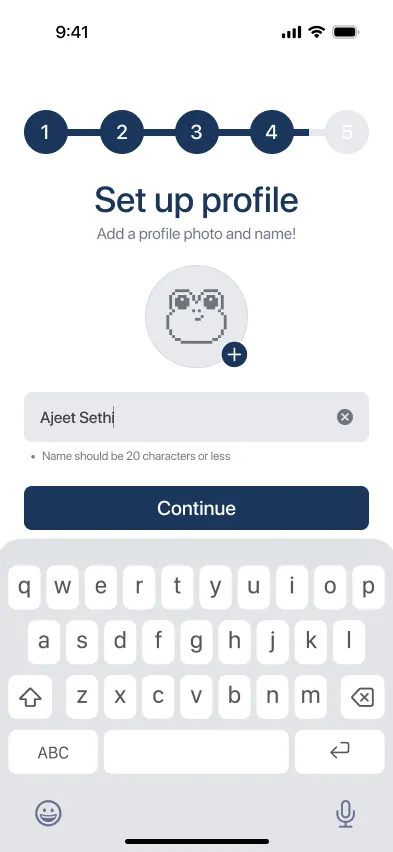
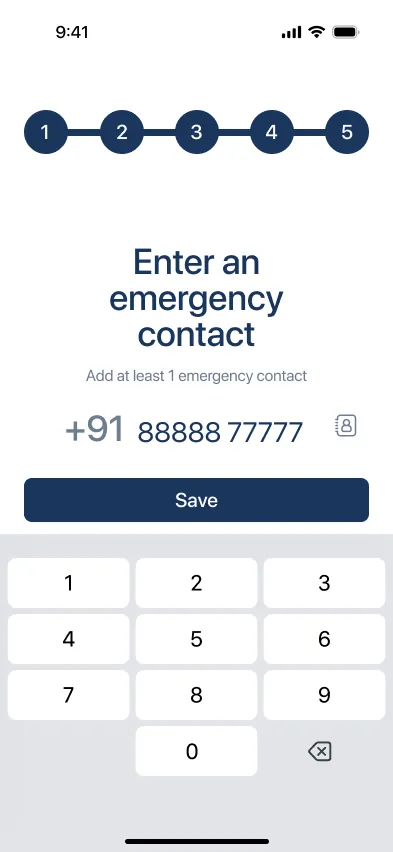
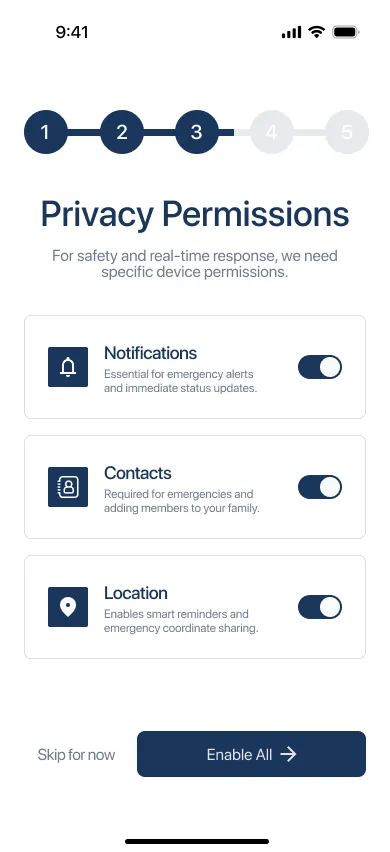
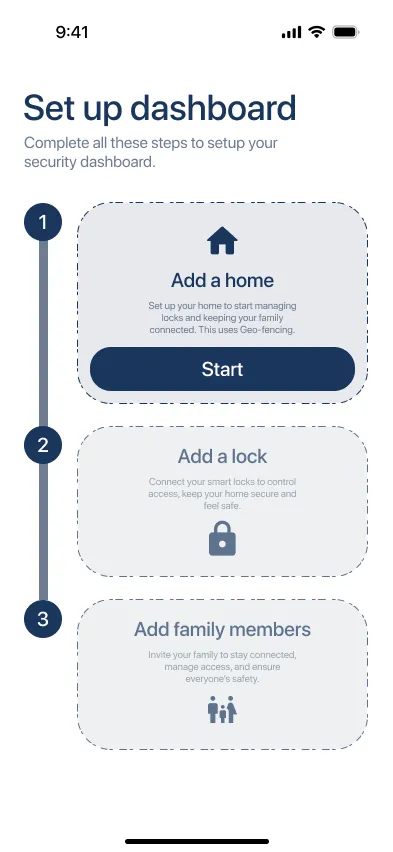
02 · Pairing & home setup
03 · Daily reassurance
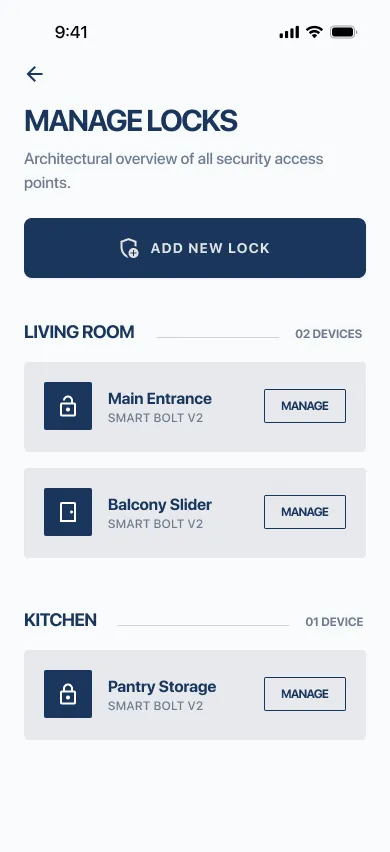
04 · Household access
Five commute scenarios, five fixes.
Check the door is locked
Read status in < 2s.
Hesitation when the timestamp wasn't next to the status.
“1/3 locks secured” now sits beside “Checked 2m ago” in the hero card.
Audit recent activity
Find exact departure time.
Confused own exit with a roommate's.
Person tags: “Sarah marked Main Door as Locked at 10:15”.
Recover from unavailable status
Understand it's unconfirmed, don't panic.
Risk of assuming an offline lock is secure.
Neutral “Status unconfirmed” card with a retry action.
Respond to “unlocked”
Remote lock in < 3s.
Multi-step confirmations slowed people in a rush.
One-tap SECURE button lifted onto the perimeter card.
Pair the retrofit lock
No landlord permission needed.
Fear of damaging the door or losing the master key.
Onboarding graphic showing original keys still work.
The problem wasn't making the home secure. It was making the user feel secure.
By refusing cameras and refusing false reassurance, Safexit builds trust through transparency, timeliness and calm.
What I'd validate next
Does passive confirmation reduce how often people check over 30 days?
Do people read “Status unconfirmed” and failure notifications accurately?
How much activity history is useful before it becomes clutter?
Does geofence automation build trust, or introduce new doubt?